
D2 Diagrams
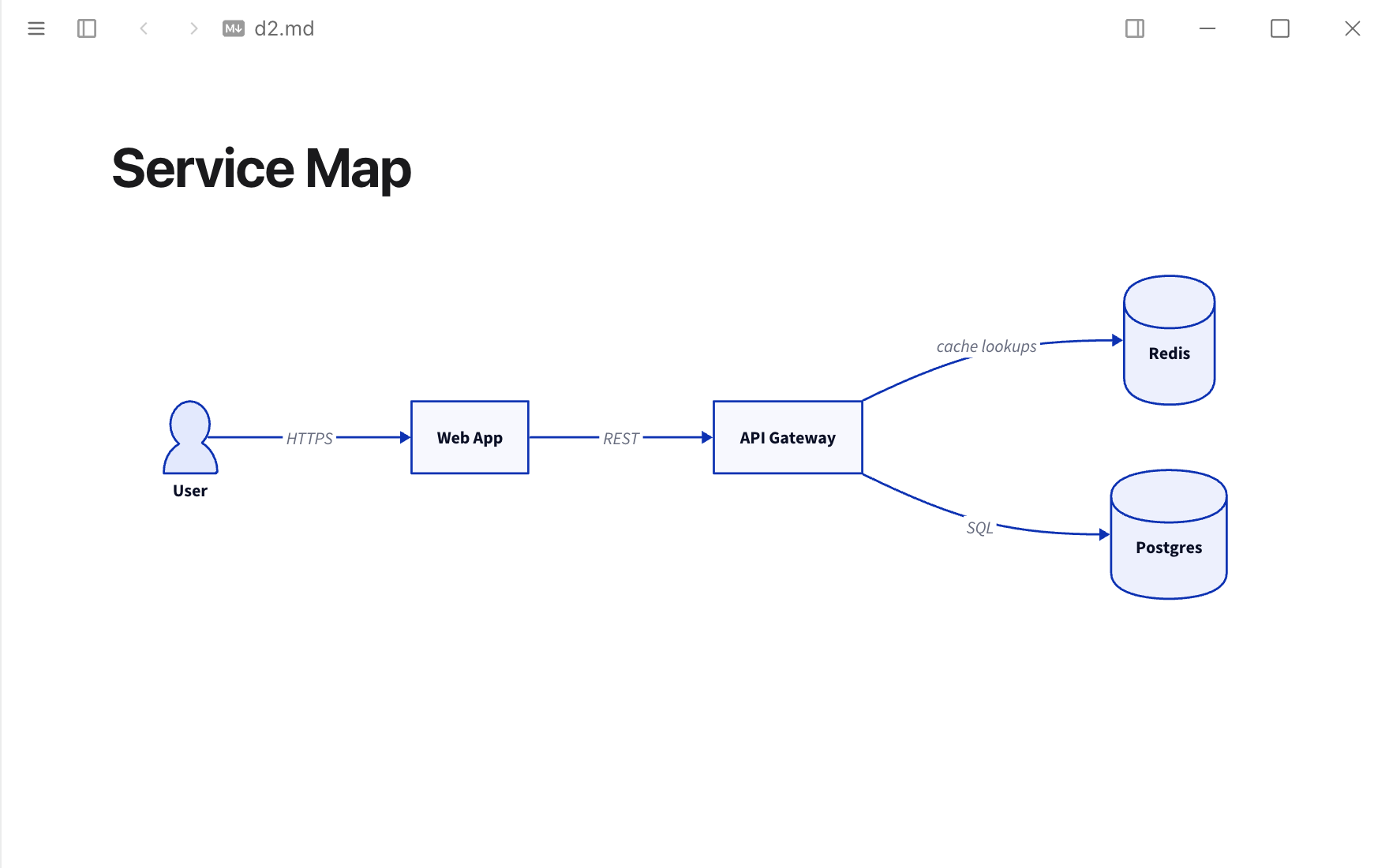
D2 code blocks, drawn by the d2 program on your computer or by a Kroki server.
Permissions
When you install it, Typora asks you to allow it to:
- Send and receive data from
https://kroki.io. - Run
d2as you, outside the sandbox.
Sandboxed pages. Ships HTML views that run in a sandboxed frame and only see what Typora sends them.
What it adds
- Code block renderers
```d2- Settings
- Draw with, Command, Layout, Hand-drawn look, Kroki server
Readme
D2 Diagrams
Draws ```d2 code blocks with D2. Choose how in Settings ▸ Extensions ▸ D2 Diagrams ▸ Options:
| Draw with | Needs | Offline |
|---|---|---|
| d2 command (default) | d2 on your PATH, e.g. brew install d2 | Yes |
| Kroki server | A network connection; the source goes to kroki.io or your own Kroki | No |
With the d2 command, diagrams follow the light or dark appearance, and the options pick the layout engine (dagre or ELK) and the hand-drawn look — unless the diagram sets theme-id, pad, layout-engine or sketch in vars: { d2-config: { … } }.
D2's own WebAssembly build is not used: its layout runs generated JavaScript, which Typora's extension pages do not allow.
Permissions
process: ["d2"]— runsd2 [--theme=…] [--pad=24] [--layout=…] [--sketch] - -with the fence's source on stdin, by name from your PATH or at the full path set in the options. Nothing else. Typora only allows this after you turn on Settings ▸ Extensions ▸ Allow extensions to run programs and accept the permission.network: ["https://kroki.io"]— only with Kroki server: the fence's source is posted tohttps://kroki.io/d2/svg.